
Portero.
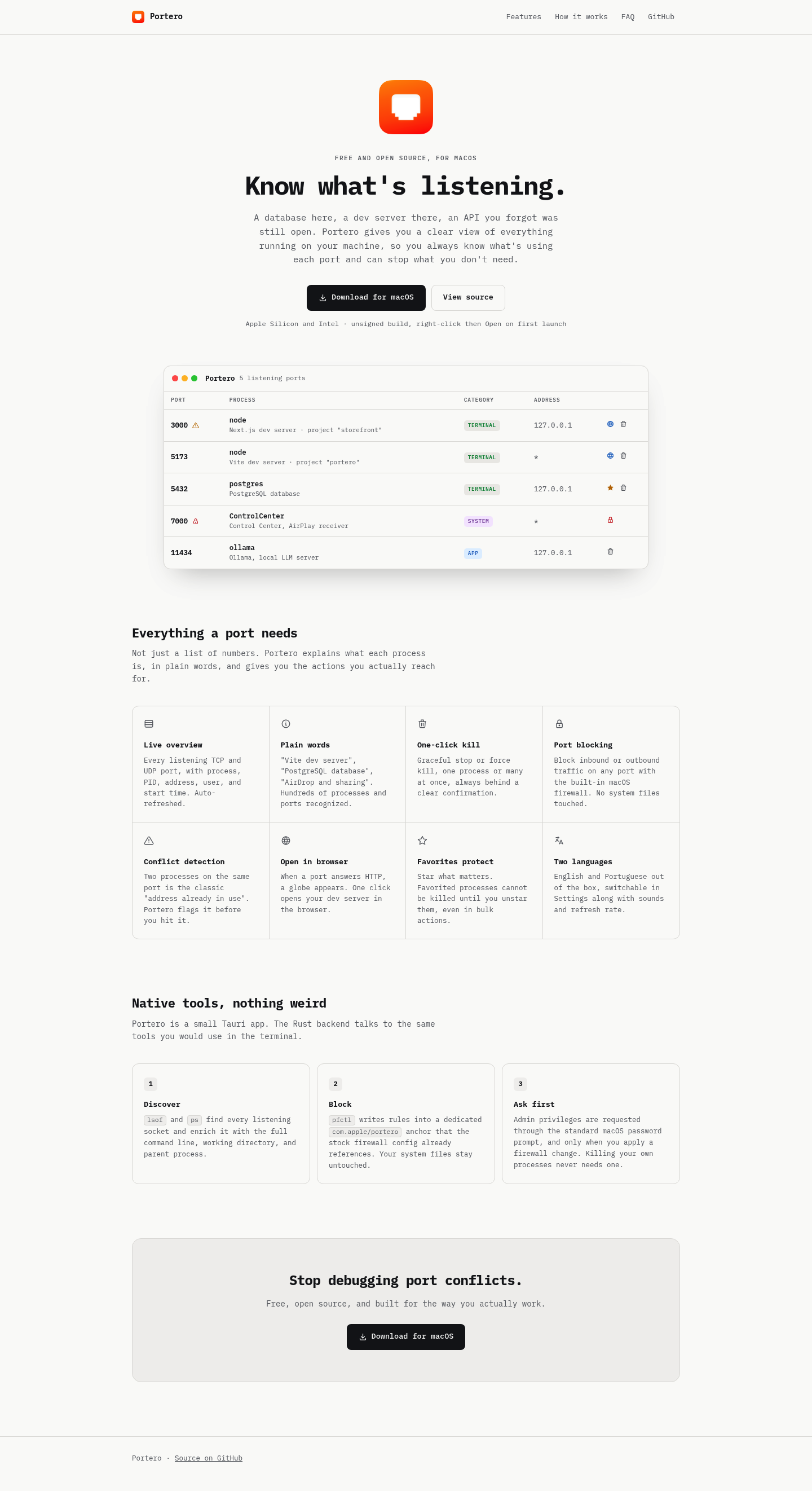
Free open-source Mac app to monitor open ports, view running processes, kill busy ports & fix 'address already in use' errors. Built-in firewall control.
More About Portero
Portero
Portero is a free, open-source macOS utility that gives developers complete visibility and control over network ports running on their machines. Instead of wrestling with terminal commands to diagnose port conflicts or mystery processes, you get an intuitive, real-time dashboard that explains what's listening, why it's there, and how to manage it—with one-click actions for killing processes, blocking traffic, and opening services in your browser.
Product Highlights
- Live Port Overview: See every listening TCP and UDP port with complete process details—PID, address, user, start time—auto-refreshed in real time
- Plain-Language Explanations: Instantly recognize processes like "Vite dev server" or "PostgreSQL database" instead of deciphering cryptic command names
- One-Click Process Control: Gracefully stop or force-kill single or multiple processes with clear confirmation dialogs
- Built-In Port Blocking: Block inbound or outbound traffic on any port using macOS's native firewall—no system files modified
- Conflict Detection: Get alerted before the classic "address already in use" error derails your workflow
- Browser Integration: One-click open HTTP services directly from the app when a globe icon appears
- Favorites Protection: Star critical processes to prevent accidental termination, even during bulk actions
- Native Performance: Lightweight Tauri app with Rust backend using standard macOS tools—no bloat, no weird dependencies
Use Cases
- Development Workflow: Quickly identify and resolve port conflicts when multiple dev servers, databases, or APIs compete for the same address
- Security Auditing: Spot unexpected listening processes and immediately block suspicious ports using the integrated firewall controls
- System Cleanup: Discover and terminate forgotten background services consuming resources without hunting through Activity Monitor
- Remote Collaboration: Share clear port status with teammates when debugging environment-specific connectivity issues
Target Audience
Portero is built for macOS developers, DevOps engineers, and technical professionals who need fast, visual control over their local network environment—whether debugging a full-stack application, managing containerized services, or simply keeping their development machine clean and secure.
You might also like
See all alternatives →