GhostSnap.
Snap multiple screenshots, auto-compress up to 80%, and paste instantly. Extract text, annotate, and save tokens. One-time $6.99 for Mac.
More About GhostSnap
GhostSnap
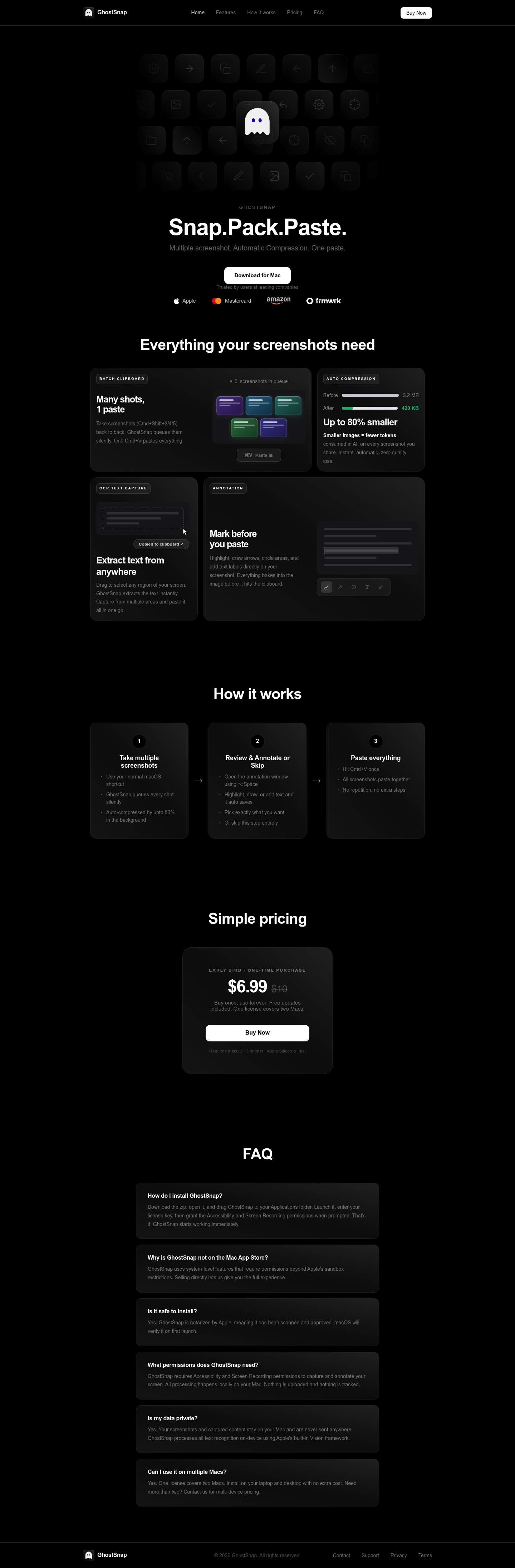
GhostSnap transforms how you capture and share screenshots on macOS by turning scattered captures into a streamlined, single-paste workflow. Built for professionals who demand speed without sacrificing quality, it eliminates the repetitive copy-paste dance while automatically optimizing every image for AI tools and cloud sharing.
Product Highlights
- Batch Clipboard Capture: Queue multiple screenshots silently using native macOS shortcuts, then paste everything at once with a single Cmd+V
- Auto Compression: Reduce file sizes by up to 80% instantly using intelligent compression that preserves visual quality while saving tokens and bandwidth
- OCR Text Extraction: Drag to select any screen region and extract text instantly, capturing from multiple areas and combining results into one clipboard paste
- Built-in Annotation: Highlight, draw arrows, circle key areas, and add text labels directly on screenshots before they reach your clipboard
- Local Privacy-First Processing: All screenshot processing, text recognition, and compression happens on-device using Apple's Vision framework with zero data uploads
Use Cases
- AI Development & Prompting: Capture multiple reference screenshots, compress them automatically, and paste directly into Claude, ChatGPT, or other AI tools with minimal token consumption
- Technical Documentation: Create annotated step-by-step guides by capturing sequential screenshots, marking them up, and pasting complete workflows into wikis or support tickets
- Design & Product Reviews: Queue multiple UI iterations, annotate feedback directly on images, and share comprehensive visual reviews in Slack or email with one paste
- Research & Data Entry: Extract text from multiple screen regions using OCR and compile everything into a single paste for reports, spreadsheets, or note-taking apps
Target Audience
GhostSnap serves macOS professionals including developers, designers, product managers, technical writers, and AI power users who frequently capture and share visual information. Ideal for anyone tired of repetitive screenshot workflows who values efficiency, privacy, and optimized file sizes for modern AI and cloud workflows.
You might also like
See all alternatives →