Whiteout.
Keep your screenshots clean and your secrets safe
Protect your privacy with Whiteout. Auto-detects and redacts sensitive info like SSNs, credit cards & API keys from Mac screenshots. Fully offline, one-time $9.99.
Rank
▲ #35Votes
87Platform
Web / MobileLaunched
Recently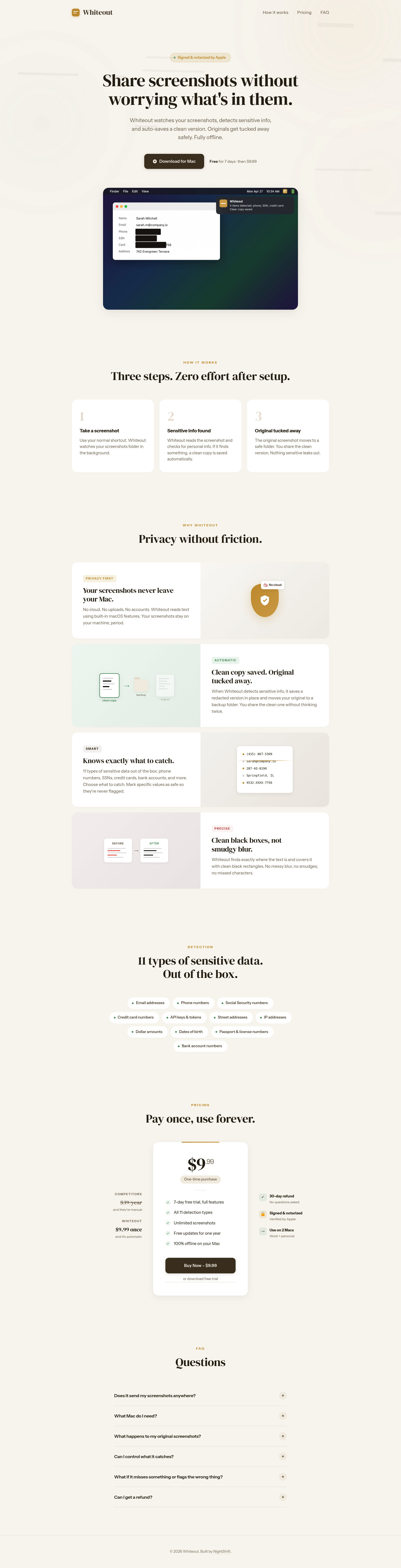
Favorite — quick open from Home.
More About Whiteout
Whiteout
Whiteout is a macOS app that automatically detects and redacts sensitive information from your screenshots before you share them. It runs entirely offline on your Mac, ensuring your private data never leaves your device while saving you time from manual editing.
Product Highlights
- Automatic Redaction: Instantly detects 11 types of sensitive data including emails, phone numbers, SSNs, credit cards, and API keys
- Fully Offline Processing: Uses built-in macOS features with no cloud uploads, accounts, or internet required
- Clean Black Boxes: Covers sensitive text with precise rectangles instead of blurry smudges that can still leak information
- Safe Original Storage: Automatically moves original screenshots to a backup folder while saving clean copies in place
Use Cases
- Developer Documentation: Share screenshots of code and dashboards without exposing API keys, tokens, or internal URLs
- Customer Support: Send screenshots to help desks while keeping personal account numbers and addresses private
- Team Collaboration: Post screenshots in Slack or Notion without worrying about accidentally sharing sensitive client data
- Social Media Sharing: Post interface screenshots publicly without revealing private information in the background
Target Audience
Whiteout is designed for macOS users who frequently share screenshots for work—developers, designers, support teams, and professionals handling sensitive information. It's ideal for anyone who wants privacy without the friction of manual editing tools.
You might also like
See all alternatives →