Spotit.
Master any Mac app with guided hands-on tutorials
Learn any Mac app instantly. Press a key, ask how to do something, and Spotit highlights exactly where to click. Master Photoshop, Figma, and more—hands-on.
Rank
▲ #32Votes
123Platform
Web / MobileLaunched
Recently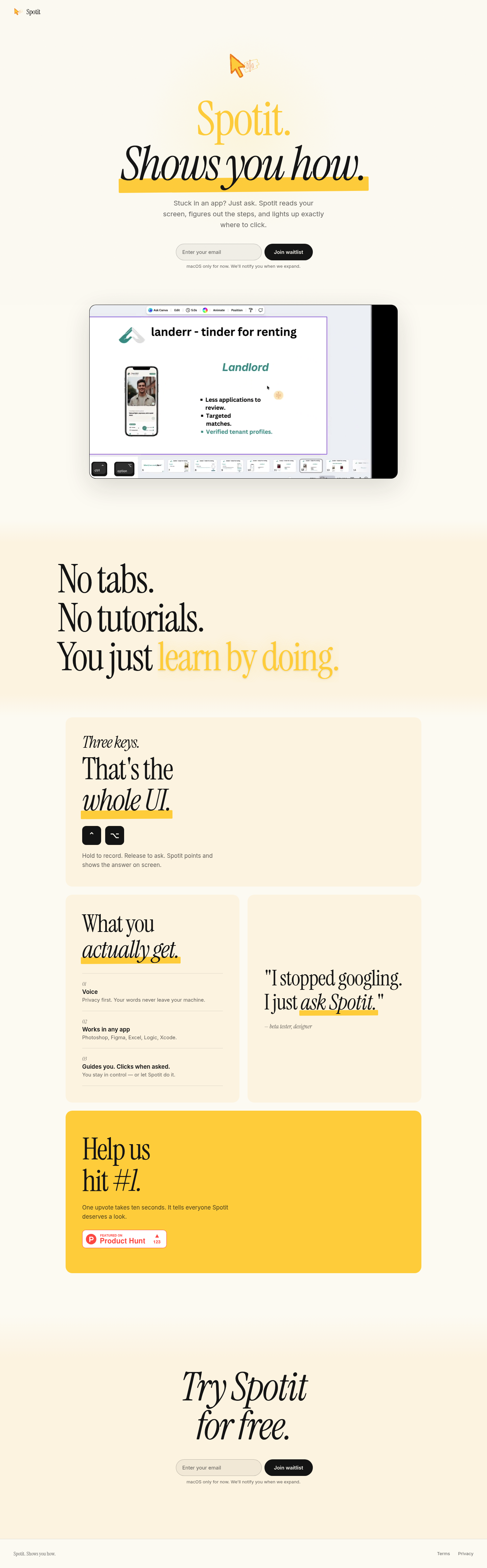
Favorite — quick open from Home.
More About Spotit
Spotit
Spotit transforms how you learn software. Hold a simple key combo, ask your question, and get instant visual guidance directly on your screen—no tutorials, no context switching.
Product Highlights
- Three-Key Interface: Clean, minimal design with just ⌃⌥ and your voice—no complex menus to navigate
- Privacy-First Voice: All processing happens locally; your voice data never leaves your Mac
- Universal App Support: Works seamlessly across Photoshop, Figma, Excel, Logic, Xcode, and any Mac application
- Smart Guidance + Automation: Spotit points answers on screen and clicks for you when requested—you control the level of assistance
Use Cases
- Learning New Software: Master complex tools like Photoshop or Logic without leaving your workflow to search tutorials
- Quick Feature Discovery: Instantly find hidden menu options or shortcuts in any application
- Hands-Free Assistance: Get visual guidance while keeping your hands on creative work
- Productivity Boost: Eliminate time lost to Googling and context switching between apps
Target Audience
Spotit serves creative professionals, designers, developers, and power users who work across multiple complex Mac applications and value efficiency over traditional documentation. Ideal for those who learn by doing rather than reading manuals.
You might also like
See all alternatives →