Vox.
Speak to GitHub Copilot with Vox. Voice-powered CLI extension for hands-free coding on Windows, macOS, and Linux.
More About Vox
Vox
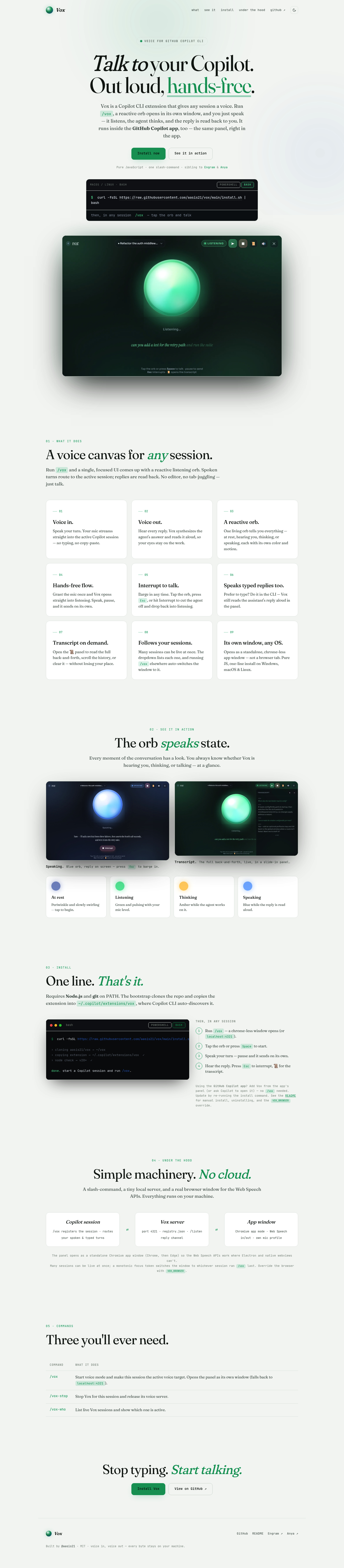
Vox transforms how developers interact with GitHub Copilot by replacing typing with natural voice conversation. Simply run /vox to open a reactive voice interface that listens to your commands, routes them to your active Copilot session, and speaks responses back aloud. Built entirely in pure JavaScript with zero cloud dependencies, it delivers a hands-free coding experience that keeps your eyes on your work and your hands on your keyboard — or completely free.
Product Highlights
- Voice-First Interface: Speak naturally to Copilot and hear responses read aloud, eliminating the need to switch between editor windows and terminal tabs.
- Reactive Visual Orb: A single, color-coded orb communicates state at a glance — periwinkle when resting, green when listening, amber while thinking, and blue when speaking.
- Hands-Free Operation: Grant microphone permissions once and Vox automatically enters listening mode, sending your spoken input after natural pauses without manual confirmation.
- Interrupt Anytime: Cut off the agent mid-response by tapping the orb, pressing
Esc, or clicking Interrupt — immediately returning to listening mode. - Session Management: Seamlessly switch between multiple active Copilot sessions through a dropdown menu, with Vox automatically following wherever
/voxis run. - Full Transcript History: Access complete conversation logs through a slide-in panel to review, scroll, or clear past exchanges without disrupting your current workflow.
- Cross-Platform Native: Runs as a standalone Chromium app window on Windows, macOS, and Linux — no browser tab clutter, no Electron overhead, no telemetry.
- One-Line Installation: Deploy instantly with a single curl command; the bootstrap clones, installs, and registers the extension with Copilot CLI automatically.
Use Cases
- Hands-Free Coding: Dictate complex queries, debugging requests, or code explanations while keeping hands on hardware, eating, or taking notes — ideal for accessibility and multitasking.
- Rapid Iteration Loops: Speak faster than you type to accelerate exploratory coding sessions, where quick back-and-forth with Copilot drives faster discovery.
- Extended Terminal Sessions: Maintain productive Copilot interaction during long SSH sessions or remote development where editor integration isn't available.
- Documentation and Explanation: Verbally request code explanations or documentation generation while reviewing output visually, reinforcing comprehension through dual-channel learning.
- Accessibility Enhancement: Enable Copilot usage for developers with repetitive strain injuries, vision fatigue, or preference for auditory interfaces.
Target Audience
Vox is designed for developers who rely heavily on GitHub Copilot CLI and want to accelerate their workflow through voice interaction — including power users managing multiple terminal sessions, accessibility-focused developers, and anyone seeking to reduce context switching between code and AI assistance. It particularly serves macOS and Linux users in bash environments who value lightweight, privacy-respecting tools that run entirely locally without cloud dependencies or data collection.
You might also like
See all alternatives →